I saw a client today who expressed one particular annoyance. The display fonts in her copy of Outlook 2011 for Mac were so small, they were unreadable. I didn’t know of any way to fix this off the top of my head and I don’t like giving up on something. So I spent this afternoon looking for solution. After a couple of hours of experimenting, I found this solution:
- Go to the Outlook menu item and choose Preferences
- Under Personal Settings, click on Fonts
This what you should see:
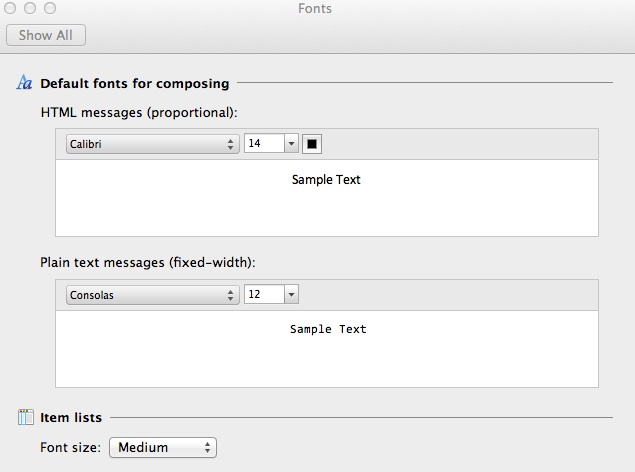
I found that simply increasing both plain text and HTML font sizes by 2 point (in other words to 16 and 14 respectively) did the trick. But you’re free to experiment and see what works best for you.
Another option is to press Command + to increase the font size and Control – to decrease the font size. I didn’t like this option myself, but maybe you will.